External
Hard Drives
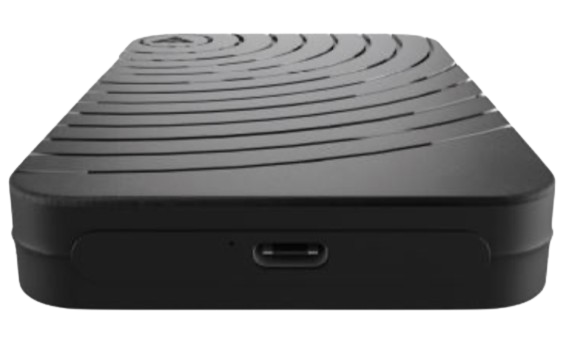
External
Hard Drives
Axiom external hard drives give business users, IT teams, schools, service providers, and resellers a practical way to add portable storage for backup, file transfer, archiving, endpoint support, and everyday storage needs.
External drives are useful when users need additional capacity without opening a system, replacing an internal drive, or changing the installed storage configuration. Axiom helps customers source external storage options for desktops, laptops, workstations, business devices, and portable workflows.
Axiom external hard drives help organizations add backup capacity, move large files, support users in the field, and extend storage availability without replacing internal drives or modifying existing systems.
| Description | Part Number |
|---|---|
 2.5" USB-C 3.1 Gen2 External Portable SSD 2.5" USB-C 3.1 Gen2 External Portable SSD | |
| Mini USB-C 3.1 Gen2 External Portable SSD | |
External drive selection depends on capacity, interface, portability, operating environment, backup requirement, file size, transfer frequency, and the systems that need to connect to the drive.
External drives for local backup, secondary file copies, small business backup workflows, and endpoint protection.
Portable storage options for moving documents, media, project files, images, videos, and large datasets between systems.
External storage for desktops, laptops, workstations, business users, service desks, field teams, and device refresh projects.
Axiom external hard drives support everyday storage needs across office, education, small business, service, and endpoint environments. The right option depends on capacity, connection type, portability, and how the drive will be used.
Axiom helps customers identify external storage options by capacity, interface, device compatibility, file transfer needs, and backup requirements.
Available configurations vary by capacity, interface, portability, and system compatibility requirement.
External hard drives are useful when storage needs to be added quickly, moved easily, or kept separate from the internal storage inside a device.
Support local backup workflows for desktops, laptops, small business systems, and important user files.
Add storage capacity that can move between systems, users, locations, and project environments.
Store or move large files, media, records, reports, images, video, and project data outside the primary device.
External hard drives are often the easiest option when a system needs more storage but does not require an internal drive replacement. They can support backup, file movement, overflow storage, project archives, and temporary storage needs across multiple devices.
Axiom external hard drives help organizations support backup, file movement, endpoint support, and portable storage requirements.
Create secondary copies of important desktop, laptop, and business files.
Move large files, folders, media, and project data between systems or locations.
Store active project files, media libraries, working folders, and temporary datasets.
Support help desk, service, migration, and device refresh workflows.
Add simple storage capacity for offices, teams, and business users.
Support classroom, lab, staff, and administrative storage needs.
Store older files, completed projects, documents, and historical data outside primary systems.
Provide portable storage for teams that work across locations or need removable storage options.
Axiom helps customers source external hard drives with confidence by combining product availability, practical storage options, and support for everyday backup, transfer, and endpoint needs.
External drive options for systems, users, teams, and projects that need movable capacity.
Simple storage options for local backups, secondary file copies, and business continuity workflows.
Storage for desktops, laptops, workstations, service desks, and refresh projects.
Add capacity without replacing internal storage or modifying installed systems.
Before selecting an external hard drive, confirm the required capacity, interface, device compatibility, operating system support, portability requirement, backup workflow, file size, transfer frequency, and whether the drive will be used by one person, a team, or across multiple systems.
If you are not sure which external storage option fits your requirement, Axiom can help identify the right option before purchase.
External hard drives are commonly used for backup, file transfer, portable storage, project storage, archive storage, endpoint support, and adding capacity without replacing internal drives.
Choose an external drive when storage needs to be portable, easy to add, shared across systems, or used for backup and file transfer without opening or modifying the computer.
Yes. External hard drives are commonly used for local backups and secondary file copies. For critical data, organizations should also follow a broader backup strategy that includes additional copies and appropriate retention policies.
Yes. Axiom helps customers match capacity, interface, portability, compatibility, and usage requirements to external storage options.
Need help selecting external storage for backup, file transfer, endpoint support, or portable capacity? Axiom helps identify external hard drive options by capacity, interface, compatibility, and use case.
Get fast pricing for your exact configuration and requirements.


